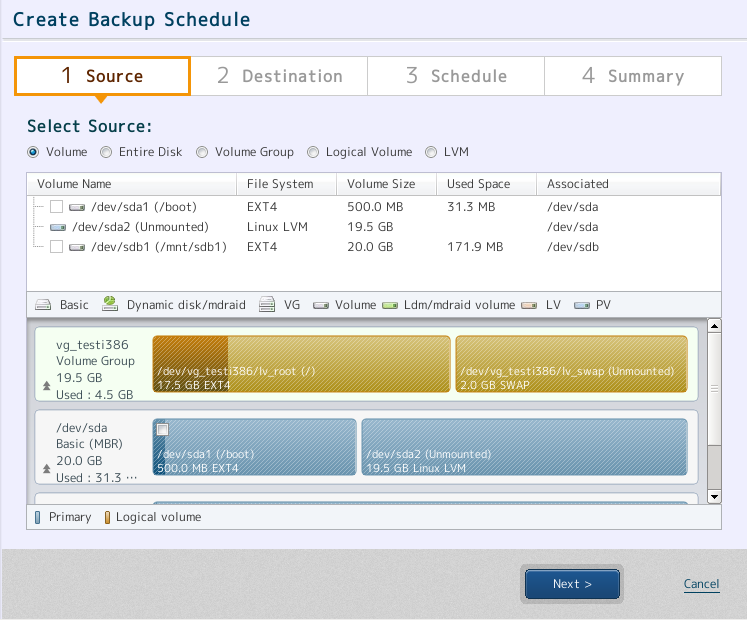
Please select backup source.
Please select a device type of the backup source. A list of devices, according to your selection of device type, will be displayed.

To continue, it is required to select from the following.
· Volume Group (VG)
· Disk including PV which configures the selected VG and "/boot", "/boot/efi"
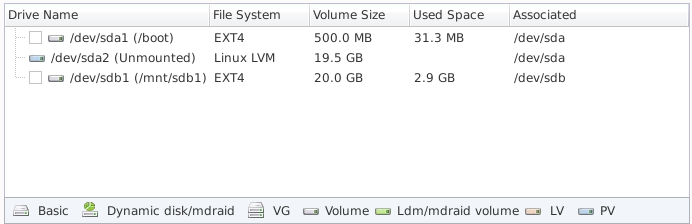
A list of devices on system is displayed. Check in the check box to select a device for backup source from the list.
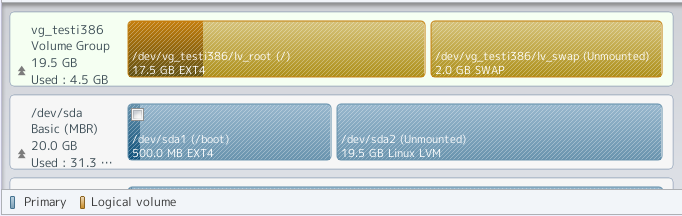
Devices on system are shown in the disk map. Click the check box to select a device for the backup source from the list.
To back up LVM, select an [LVM] for the device type and one of the following for the backup source.
· Volume Group (VG)
· Disk including PV which configures the selected VG
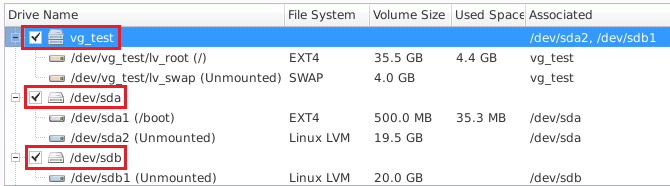
PV configuring VG is displayed in [Associated Disk] column in the device list. Please select the backup source based on the information provided in the following window.

With this example, VG (vg_test) on which the system is configured and disk (/dev/sda, /dev/sdb) which includes PV (/dev/sda2, /dev/sdb1) are selected as backup source.
When the backup source is selected, click [Next].