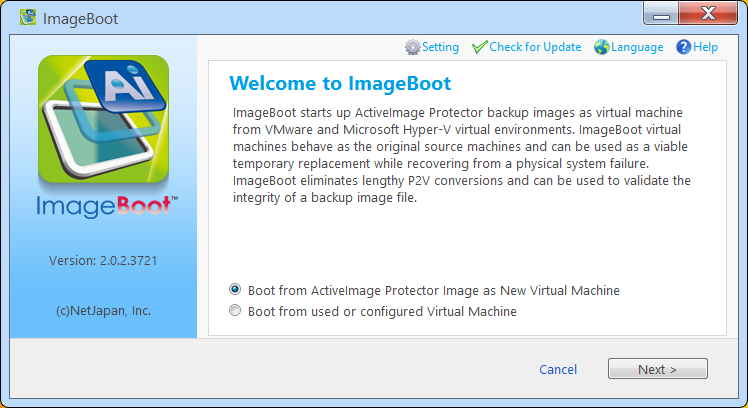
You can select to boot a VM created with [Continue use virtual machine] option enabled or a VM configured with [Boot Later] option enabled from the VM list.
1. Select [Boot from used or configured Virtual Machine] and click [Next].
2. A list of VMs is displayed.
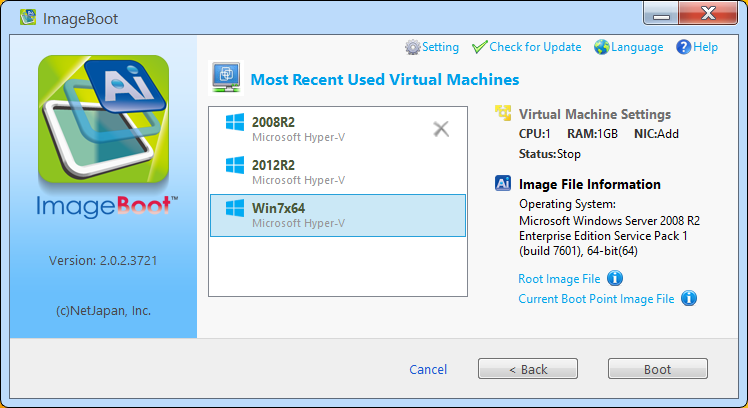
When a VM is selected from the list, the settings configured to boot the VM and the information of the image file (OS, the image file used to boot for the first time and the most current image file) are displayed.
Review the information and click [Boot] to boot the VM.
* You cannot select a VM of which status is [Running].
* When you use an image file created with version 3.5 SP5 or later, [OS Name] indicates "unknown".
Click [X] for the VM of no further use to delete from the list.
Then, you can select if the most current image file should be saved or deleted.
When the VM is booted and shut down, the changes made after the VM is booted to the current moment will be saved in a differential file (*.AIX) as follows:
Ex: <Installation Folder ->\VMAIXFile\<booted image file name>_x00001.aix
This operation is enabled by moving or copying the most current image file to the specified destination storage for the image file.
· When booting VM from incremental image file (*.aii) from VM list, the sequential image file set (from base to the first booted incremental) is necessary.
· When booting VM from differential image file (*.AIX), the changes made after booting up VM are saved (overwritten) to the image file in the storage.
· The changes made for the settings configured
for the booted VM on hypervisor will not be saved.
Ex: Virtual switch assigned
to booted Hyper-V VM
· With [Continue use virtual machine] option disabled and [Boot Later] option enabled, the booted virtual machine will be deleted from the VM list.