
iSCSI can be utilized to let any backup image file serve as an iSCSI target server to any local or remote Windows or VMware vSphere iSCSI initiator for mounting backup image files as local disks.
* Desktop Edition does not provide this feature.
1. Click [Add Target]. When iSCSI target is connected via a remote iSCSI initiator or changing the connection port, click [Server IP Address] / [Port] to change the setting.
2. Select a backup image file (recovery point) to serve as iSCSI target and click [Next]. You can select whether to enable Compression option configured for the selected image file for saving the differential data made from the previous operation, or disable Compression option.
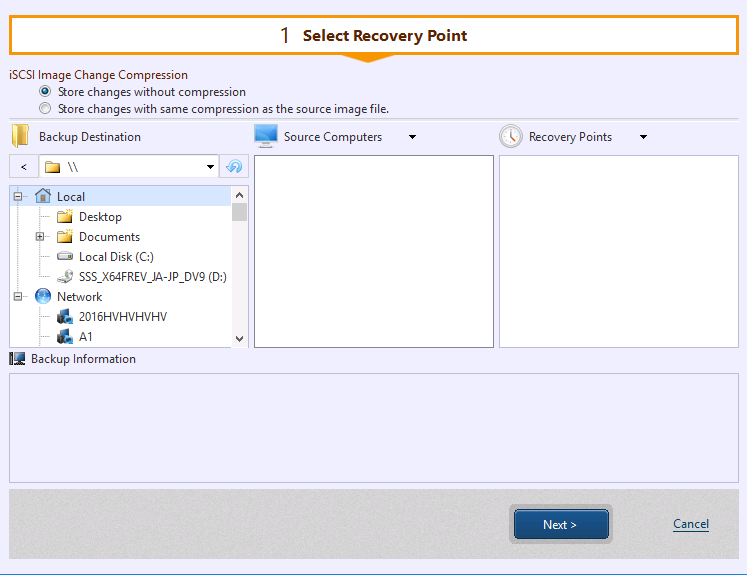
3. In [iSCSI Initiator Properties] click [Discover Portal] to search for the target portal of the specified [IP address] / [Port].

4. When connected to the portal, the target is found. When connected to the target, the image serves as iSCSi disk.
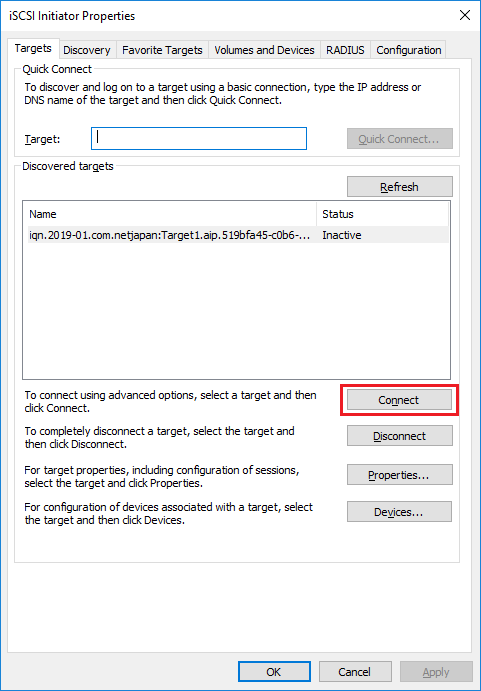
5. When finishing the use of the image as iSCSI disk, please disconnect from iSCSI initiator.
If you get "The session cannot be logged out since a device on that session is currently being used" message, go to [Disk Management], set the iSCSI disk to offline and try again.
When iSCSi target is deleted  , or disabled
  , the differential file is created in the following path.
c:\Windows\temp