
The ActiveImage Protector PreBoot Environment is added to the Windows Boot Manager as a optional start option.
The system will boot directly into the Windows Boot Manager. Use the arrow key to highlight the AIP PreBoot Environment.
Press [Enter]
The ActiveImage Protector Boot Environment User Interface
This interface is a scaled-down version of the fully installed product. There is no scheduling functions for backup tasks.
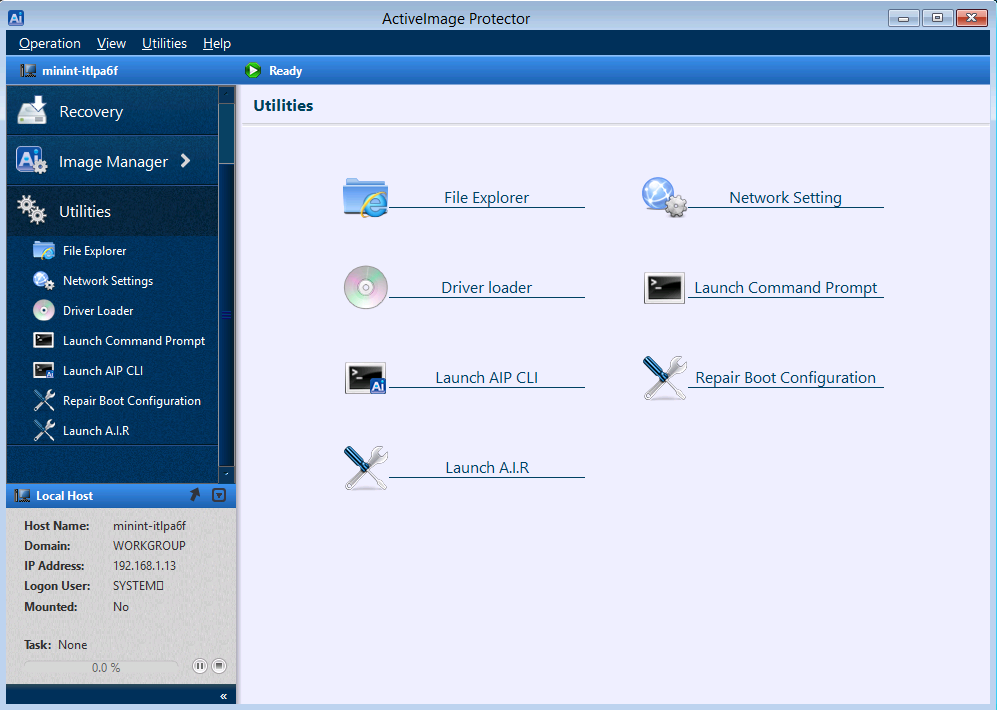
The Utilities provide additional functionality for basic disk and network access, machine specific driver loading, a command prompt and the AIP command line interface.
File Explorer - Files and folders are displayed in a file manager type interface. Cut, Copy, Paste, and Delete files and folders. Navigate between folders and drives. Display file and folder properties and change the view of files from large icons to details.
Network Setting - Configure IP and DNS adapter settings. Map network shares as local drives.
Driver Loader - Manually load software drivers associated to unrecognized devices for the system.
Launch Command Prompt - Opens a command prompt window for running OS commands.
Launch AIP CLI - Opens a command line interface specifically for running ActiveImage Protector functions.
Repair Boot Configuration - A boot configuration utility to repair the startup configuration of a system backup image file.
Launch A.I.R. - Opens the Architecture Intelligent Restore utility in order to implement drivers required for a restore to dissimilar hardware.
To Exit the Boot Environment, select [Exit] from the [Operation] drop down menu and choose Shutdown or Reboot.