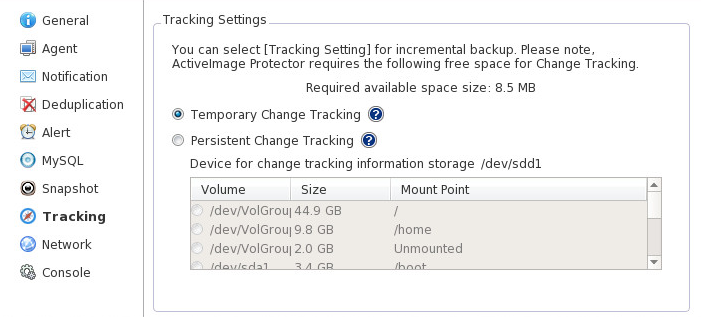
Configure tracking settings for incremental backup.
Select one of the following two options:
File-based change tracking information is saved. If this option is enabled, it is not necessary to have a volume provided exclusively for tracking information storage. The tracking information is purged whenever the computer is restarted. After rebooting system, the first scheduled backup is full backup instead of an incremental if this option is enabled. Thereafter, incremental backup files are created according to the specified schedule, associated with the created full backup.
When ActiveImage Protector is installed, this option is selected by default.
Device-based change tracking is performed. With this option enabled, change tracking information is kept even when system is rebooted. It is necessary to have a volume provided exclusively for tracking information storage.
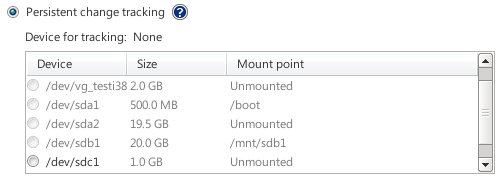
Please do not select a mounted volume, PV, or mdraid configured volumes.
Note:
· Please be aware that change tracking data saved on the specified device (volume) will be entirely purged.
· The device (volume) provided exclusively for tracking information storage is not accessible until the setting for tracking information storage is cancelled and the device volume is reformatted.